Run your whole school from one place
Students and admissions, attendance and grades, fees and payroll, verifiable certificates. Every detail of your school working together, in Arabic and English, under your school's brand.
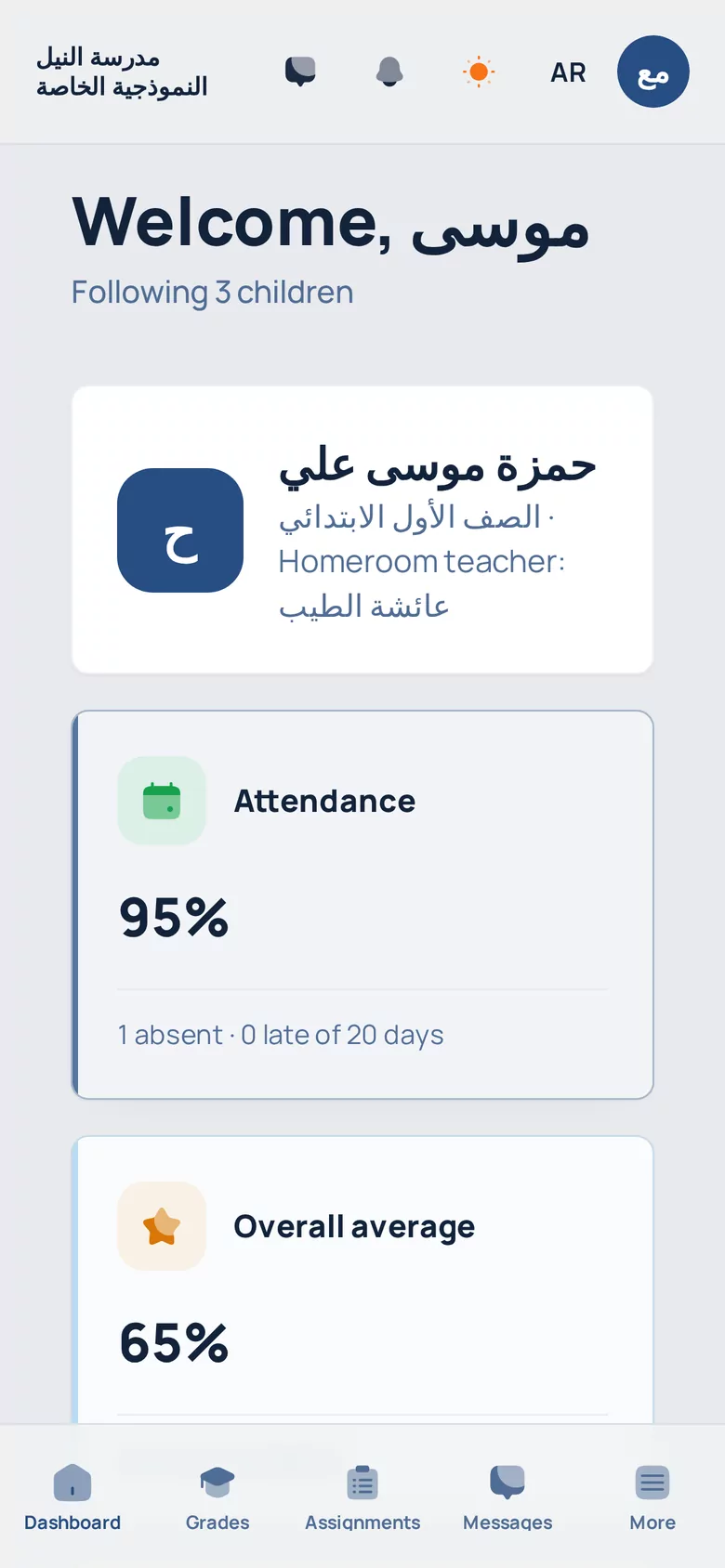
Real ZADKEY screens with a demo school's data
Arabic first
A full right-to-left interface, with English one switch away
Isolated data
Each school's data is separated and protected at the database level
Your school's address
A dedicated link for your school, with its logo and colours
On every device
In the browser on computers and phones, installable as an app
ZADKEY in a minute
A quick tour of the platform on its real screens (Arabic voice-over).
Connected modules, not separate tools
Instead of separate spreadsheets and apps for each department, ZADKEY's modules share one set of data: what the teacher records, the parent sees; what is invoiced shows in the reports.
Students & admissions
Student records, admission applications through their stages, and class enrolment.
Academic structure
Stages, grades, sections, subjects, teacher assignments and timetables.
Attendance
Per-session attendance, with rates, absences and lateness tracked.
Grades & exams
A grade book, auto-graded exams, and results published to students and parents.
Assignments & content
Assignments with submissions and tracking, and a content library per subject.
Sessions
Schedule and follow in-person and live online sessions.
Finance & accounting
Fee structures, instalments, invoices, collection, expenses and journal entries.
HR & payroll
Staff records, leave, staff attendance and payroll runs.
Operations
School transport, library and loans, assets, and approval requests.
Certificates
Printable certificate templates and public QR verification.
Messaging & notifications
Messages, conversations and announcements, with instant device notifications.
Reports
A report centre for academics, finance and attendance, with saved templates.
Everyone sees what is theirs
Precise permissions for every role, and a dashboard built for their daily work.
The whole school at a glance
Finance, collection, reports, staff and students, with the permissions you set for each role.
- Finance dashboard with priorities and overdue items
- Academic and financial report centre
- Custom permissions per role
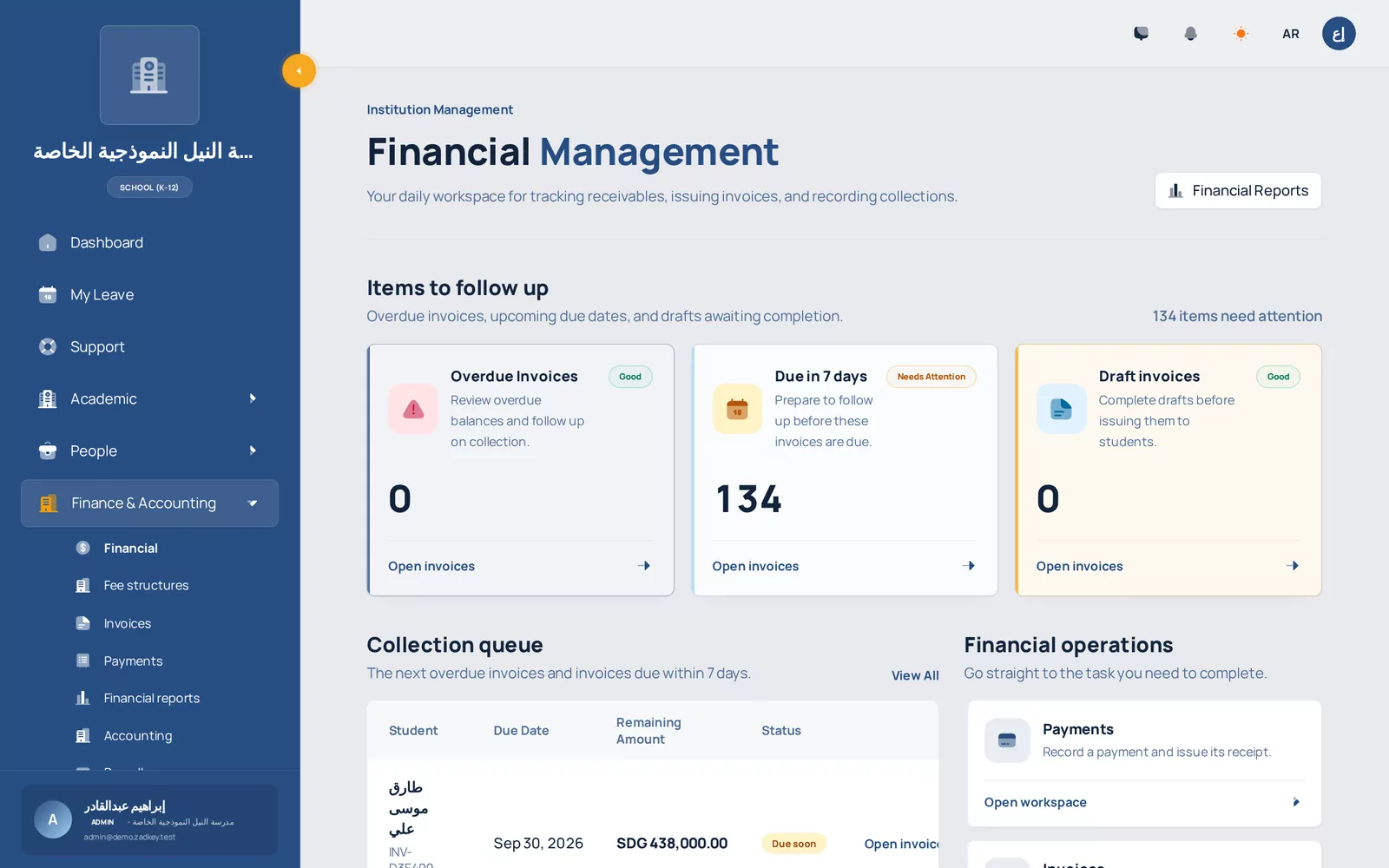
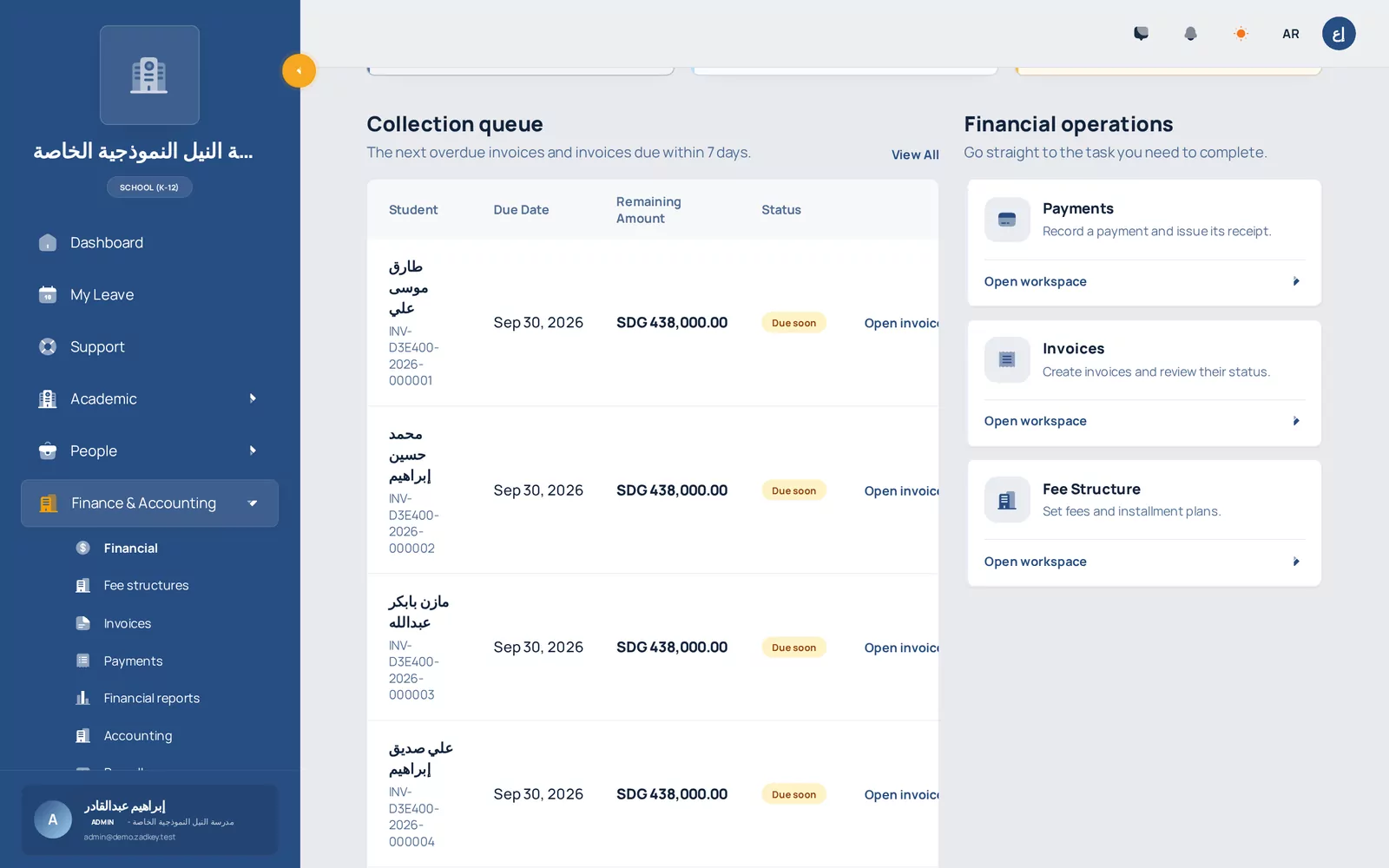
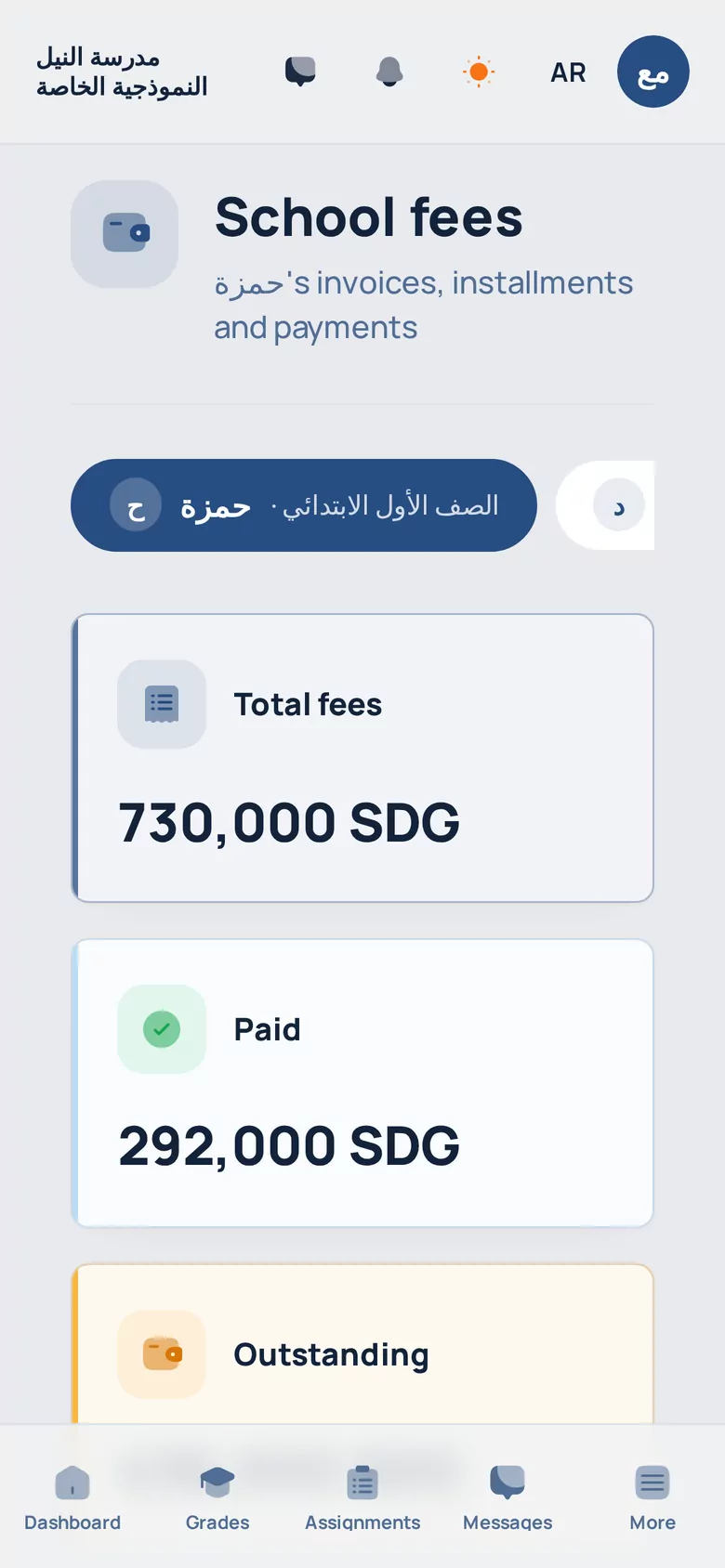
Fees, collection and payroll in one system
Fee structures per class, instalment plans, invoices, a collection queue with overdue items, payroll runs, accounting entries and ready financial reports.
- Invoices and instalments per student
- Collection queue of due and overdue
- Payroll runs and approval
- Revenue and collection reports
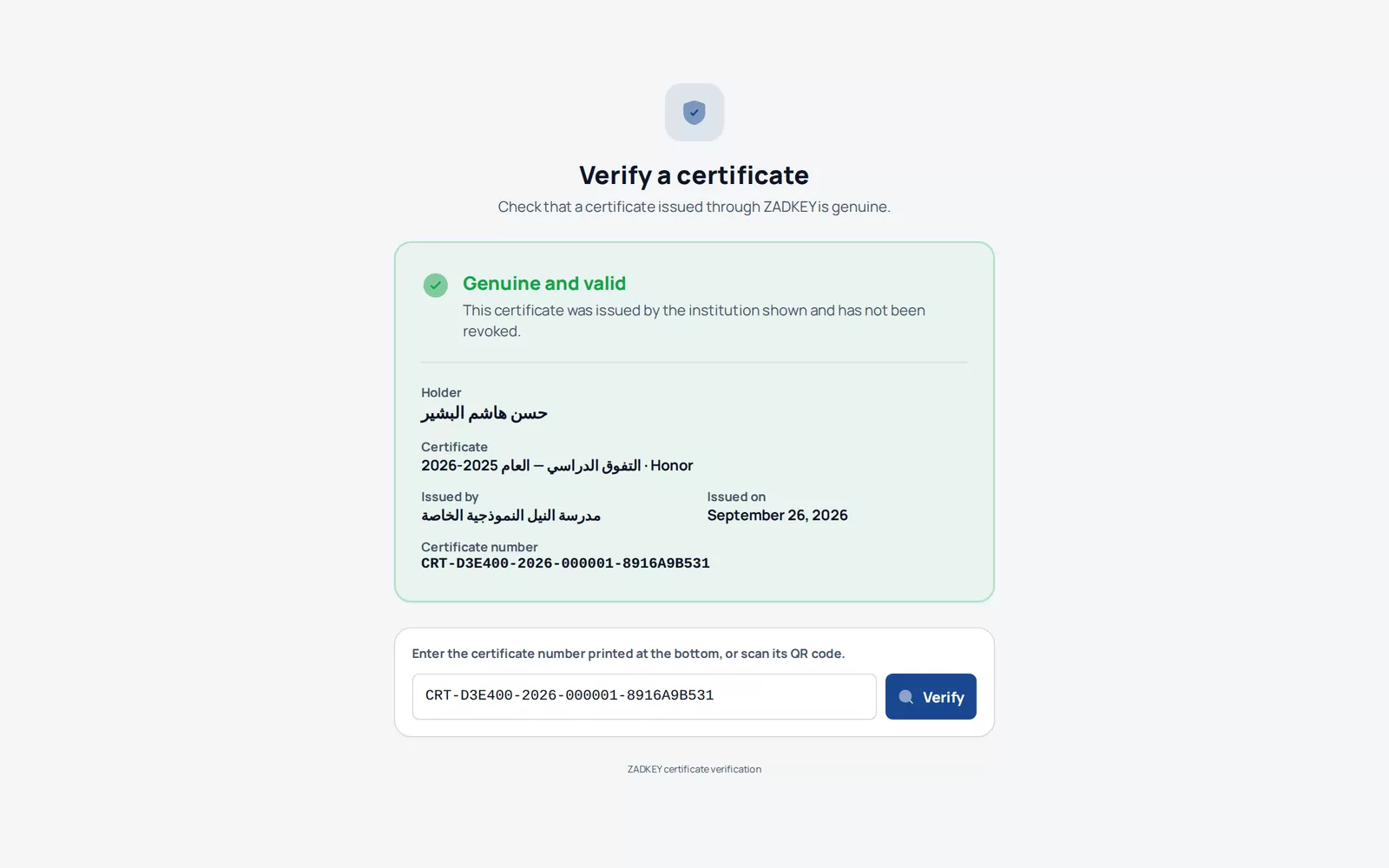
Digital certificates anyone can verify
Issue student certificates from ZADKEY. Each has a number and a QR code, and anyone can confirm it on a public verification page in moments.
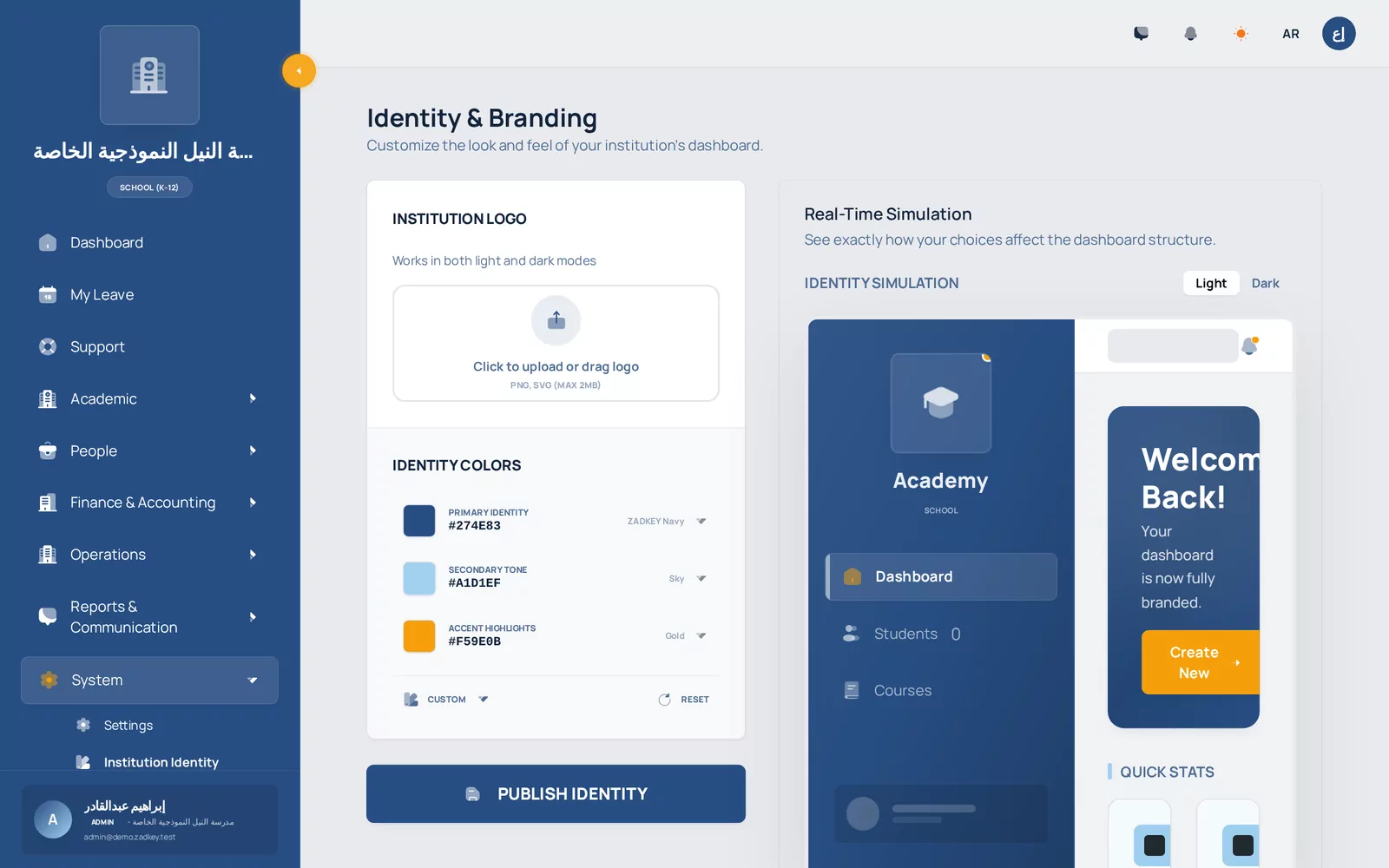
ZADKEY under your school's brand
Your school's logo and colours on every screen, and its own link for staff, students and parents.
Ready curriculum templates
Start from the stage, grade and subject template that fits your school, then adjust it freely.
- Sudanese (government)
- Sudanese (private)
- Egyptian (government)
- Egyptian (private)
- British
- American
- International Baccalaureate
- German
- French
- Canadian
Three steps to run your school on ZADKEY
- 1
Contact us
Message us on WhatsApp and tell us about your school, its stages and student numbers.
- 2
We set up your school
Our team creates your school's account and address and helps you set up its academic structure.
- 3
Start with your team
Add staff, students and parents, and the whole school works on one platform.
Frequently asked questions
Didn't find your answer? Message us on WhatsApp.
How does our school subscribe to ZADKEY?
Subscriptions go through the ZADKEY team directly: message us on WhatsApp, we get to know your school, send you a tailored offer, then set up your school's account.
Can we try the platform before subscribing?
Yes. We send you a link to a demo of a complete school with demo data, where you move between the principal, teacher, student, parent and other accounts.
Does ZADKEY work fully in Arabic?
Yes. The interface is fully Arabic, right to left, and any user can switch to English.
Is there a mobile app?
ZADKEY works in the phone's browser with a layout built for it, and can be installed on the home screen to open like an app, with instant notifications.
Is our school's data separate from other schools?
Yes. Each school's data is isolated at the database level, and every user sees only what their role's permissions allow inside their own school.
Ready to see ZADKEY in your school?
Message us on WhatsApp and we will send you a demo where you move between the principal, teacher, student and parent accounts.